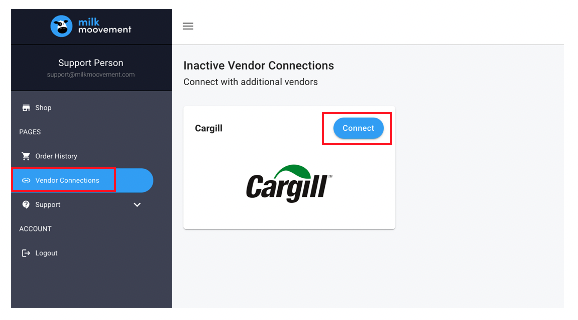
In your Cargill Feed Shop account, click on ‘Vendor Connections’ located in the left-hand menu
Click on the blue ‘Connect’ button next to Cargill
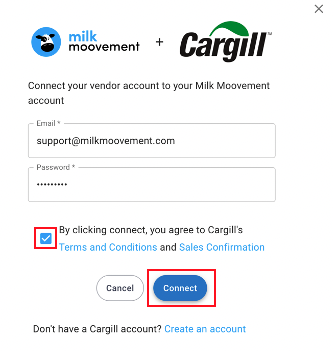
Next, enter your email and password for your Cargill ANH Portal Account
Click on the box to accept the terms and conditions
Next, click on ‘Connect’
Questions about Cargill Feed Shop functionality or technical issues?
Tap the blue chat button on the bottom right side in the Milk Moovement Portal to send a message to our customer experience team. It’s available on any page in the portal. You can also send us an email to [email protected]. We offer support 24/7, 365 days a year!
Questions about setting up Cargill account, adding new products, or order adjustments?
Send email to [email protected].