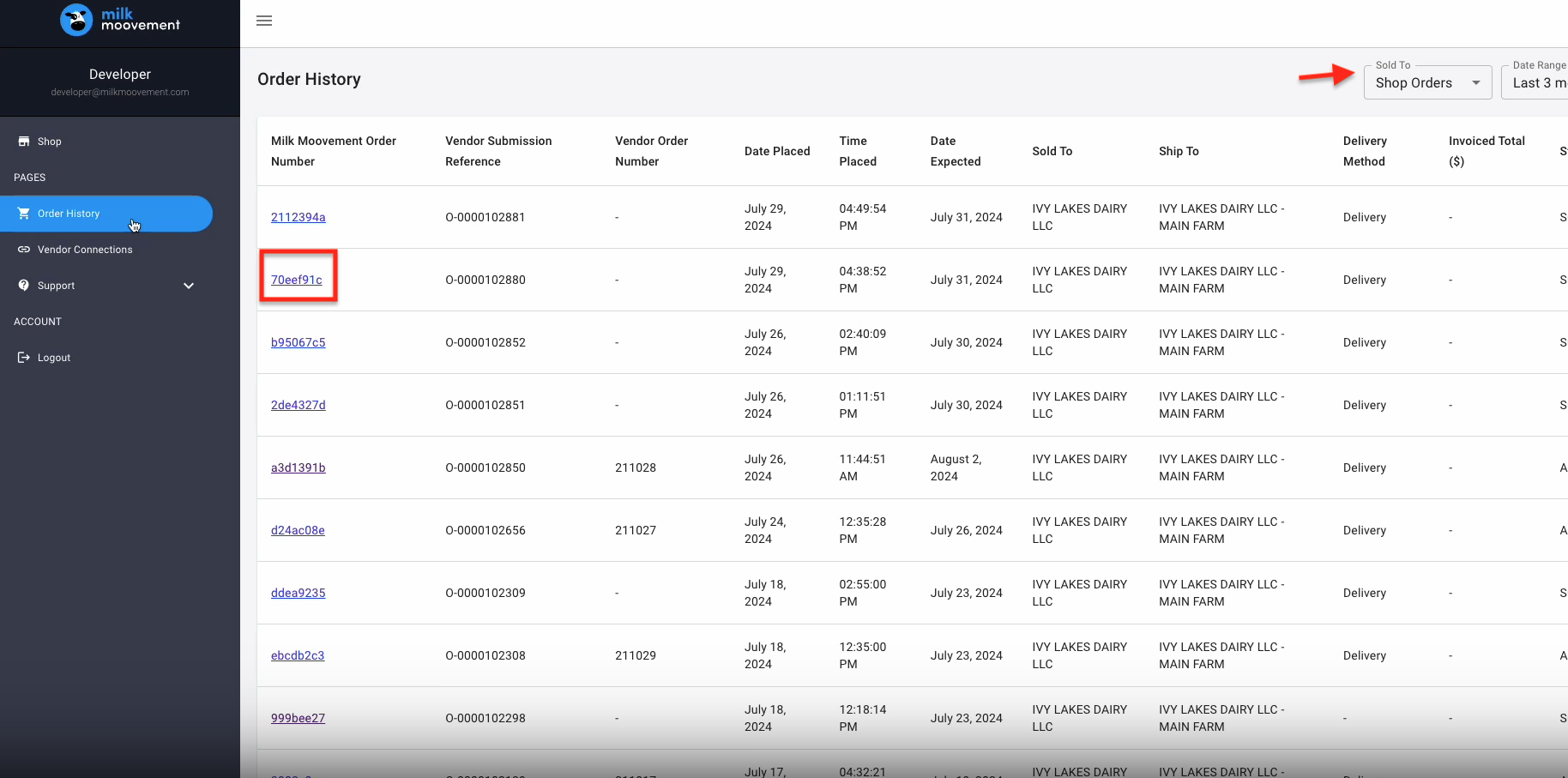
Click on ‘Order History’ located in the left-hand menu
This page will default to showing 'Shop Orders' which are orders placed within the Milk Moovement Shop; but if you click in the 'Sold to' box on the right-hand side you will be able to click into your Dairy and view the entire list of orders.
For more information on a specific order, click on the Milk Moovement Order number you would like to see more details for to pull up the full order page.
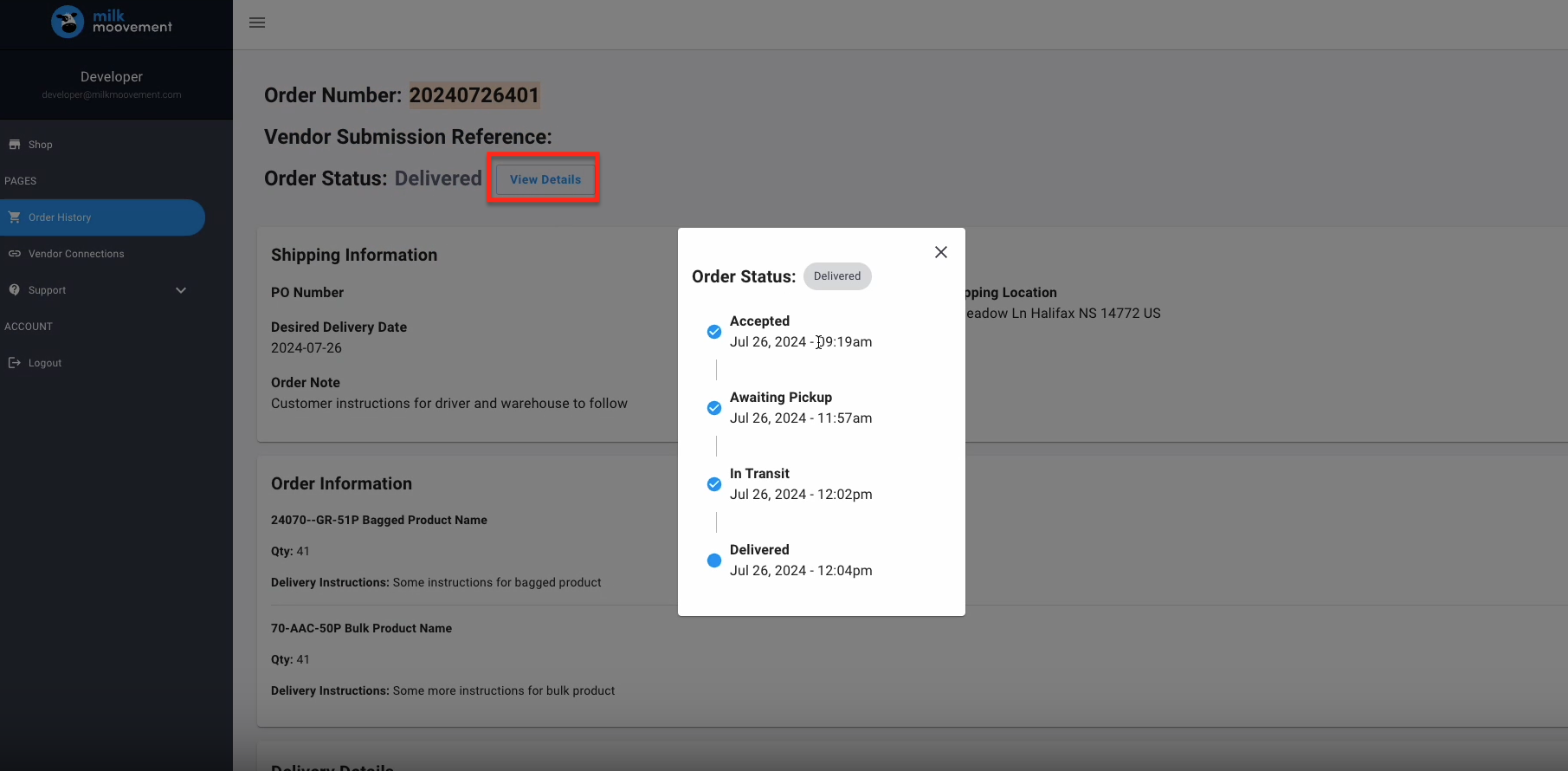
Once you have clicked into the order you will be able to see all the details for the order including the status, what was ordered, any notes, and images.
If you click 'View Details' you can also view the timeline of your order.
Questions about Cargill Feed Shop functionality or technical issues?
Tap the blue chat button on the bottom right side in the Milk Moovement Portal to send a message to our customer experience team. It’s available on any page in the portal. You can also send us an email to [email protected]. We offer support 24/7, 365 days a year!
Questions about setting up Cargill account, adding new products, or order adjustments?
Send email to [email protected].