Once you’ve connected your Cargill ANH Portal account, you’re ready to place orders:
In your Cargill Feed Shop account, click on ‘Shop’ located in the left-hand menu
Click on ‘Cargill’, Milk Moovement will then pull your Cargill ANH Portal account information
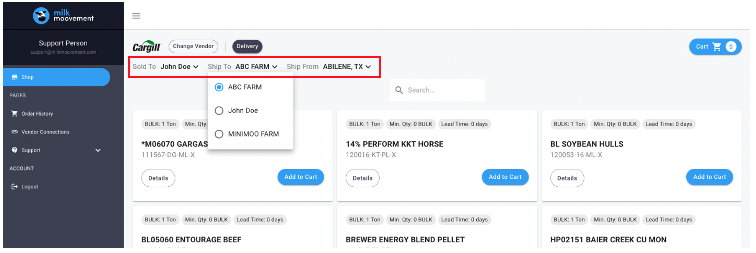
Select your ‘Sold To’, ‘Ship To’, and ‘Ship From’ by clicking on the down arrow and selecting the option from the dropdown menu
Click on ‘Show Product’ to see the products available based on your selection
Need to change your selection? You can adjust the ‘Sold To’, ‘Ship To’, and ‘Ship From’ by clicking on the down arrow at the top of the page and selecting the option from the dropdown menu
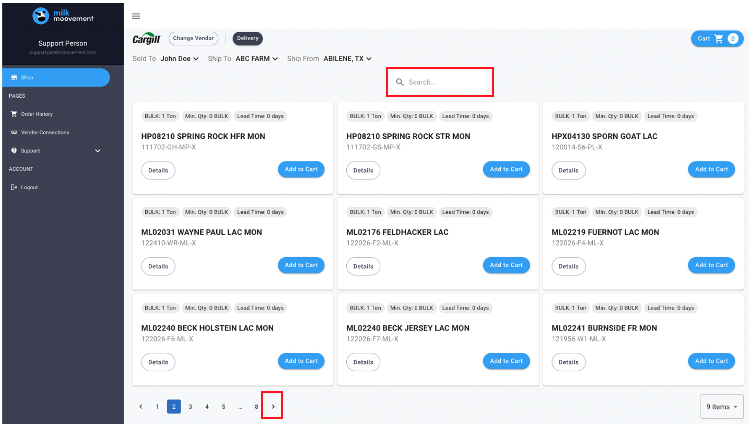
You can search for your product by entering the name of the product or the product code in the search field. Not sure what you are looking for? No problem! You can also scroll through the different products offered
To find more details on a particular product, click on the ‘Details’ button of the product card you’re interested in
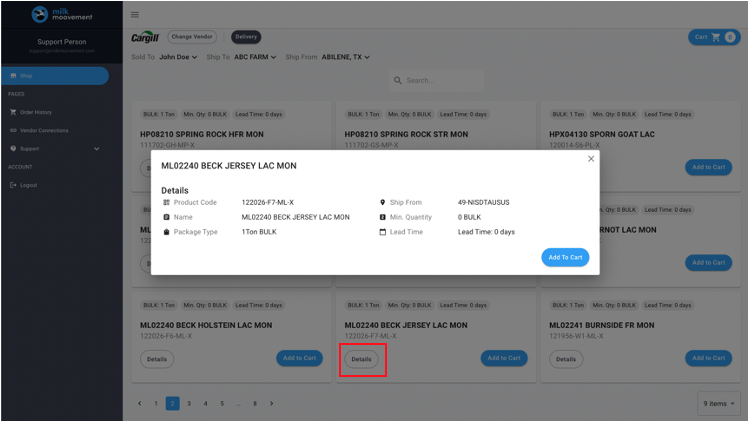
The top of the product card lists the product’s weight, minimum quantity per order, increment parameters (if applicable), and lead time for delivery.
Once you’ve found your product, click on the ‘Add to Cart’ button
Select the amount requested o If do you do not see the amount you’d like to order, click on ‘Custom’ and manually enter the amount you’d like to order
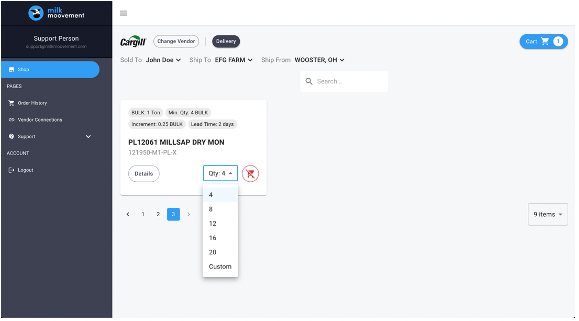
Once you’ve added all your products into your cart, it’s time to check out. Click on the ‘Cart’ button located at the top right corner of your screen
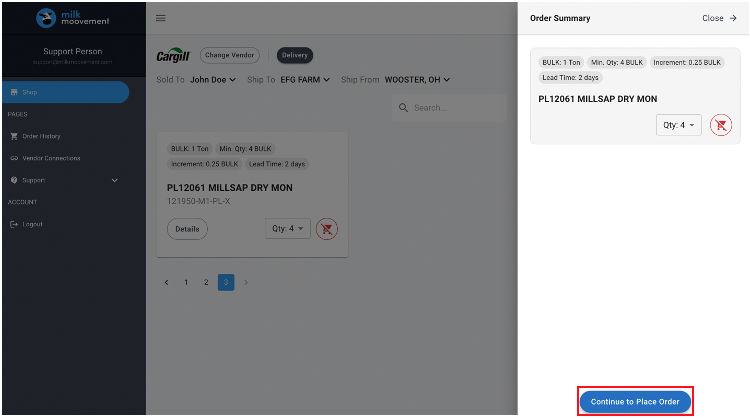
Note: you can adjust anything in your cart here or delete any products you no longer want by clicking on the red button
Click on ‘Continue to Place Order
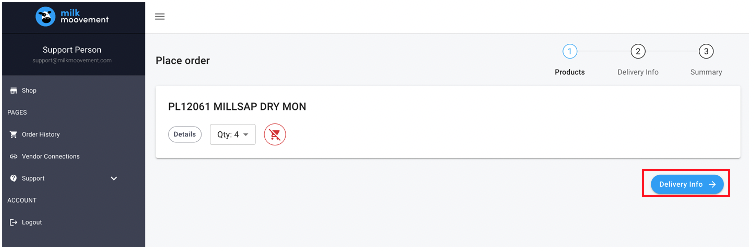
Review and adjust anything in your cart, once you are ready, click on ‘Delivery Info’
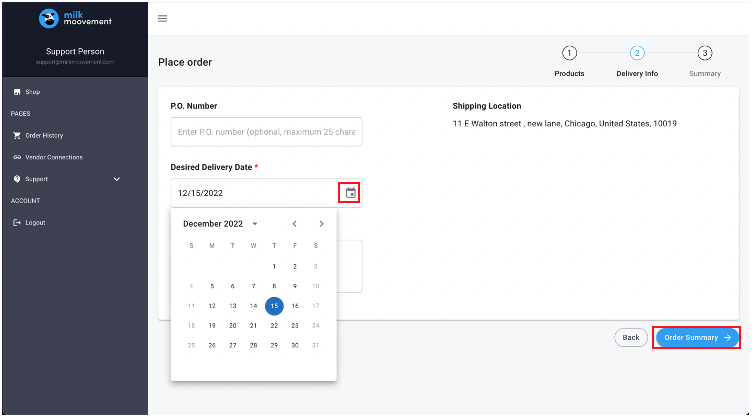
Select your Desired Delivery Date
On this page, you can also add a P.O. Number or add a note to the overall order
NOTE: if your delivery address is incorrect, please contact Cargill directly to have it updated. Milk Moovement pulls this information from your Cargill Account
Click on ‘Order Summary’
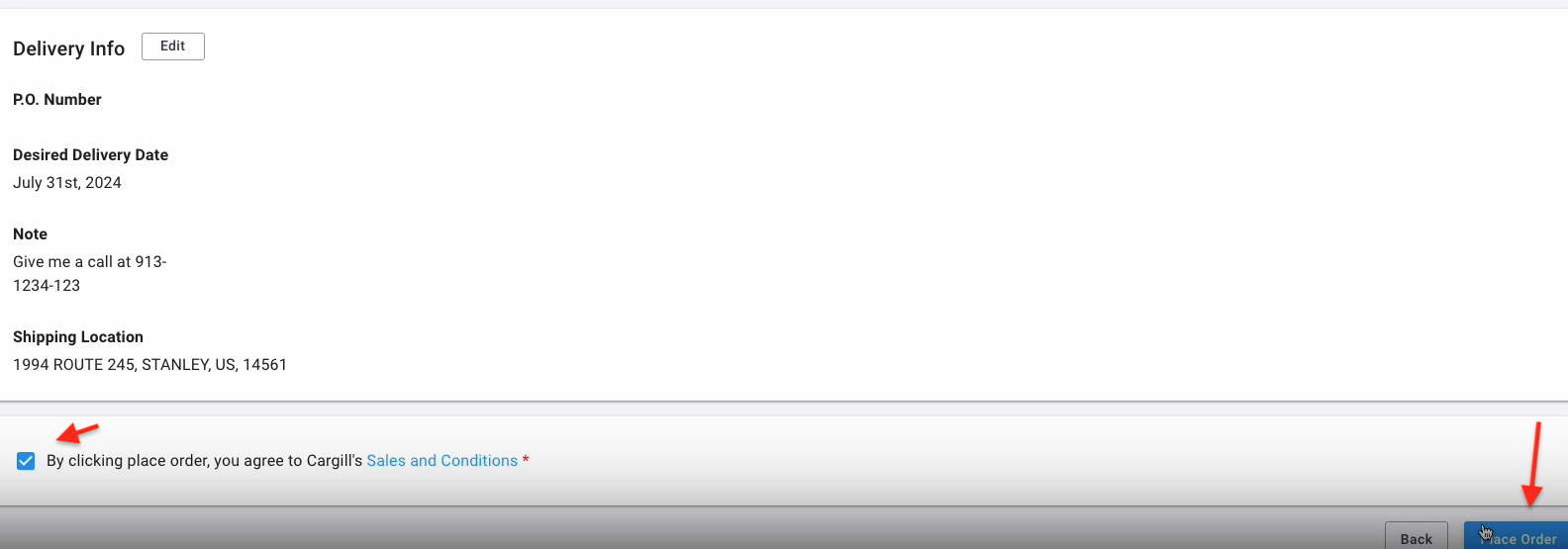
Click on ‘Place Order’ to confirm your order
You will be redirected to the Order History where it will confirm the order has been submitted
Questions about Cargill Feed Shop functionality or technical issues?
Tap the blue chat button on the bottom right side in the Milk Moovement Portal to send a message to our customer experience team. It’s available on any page in the portal. You can also send us an email to [email protected]. We offer support 24/7, 365 days a year!
Questions about setting up Cargill account, adding new products, or order adjustments?
Send email to [email protected].